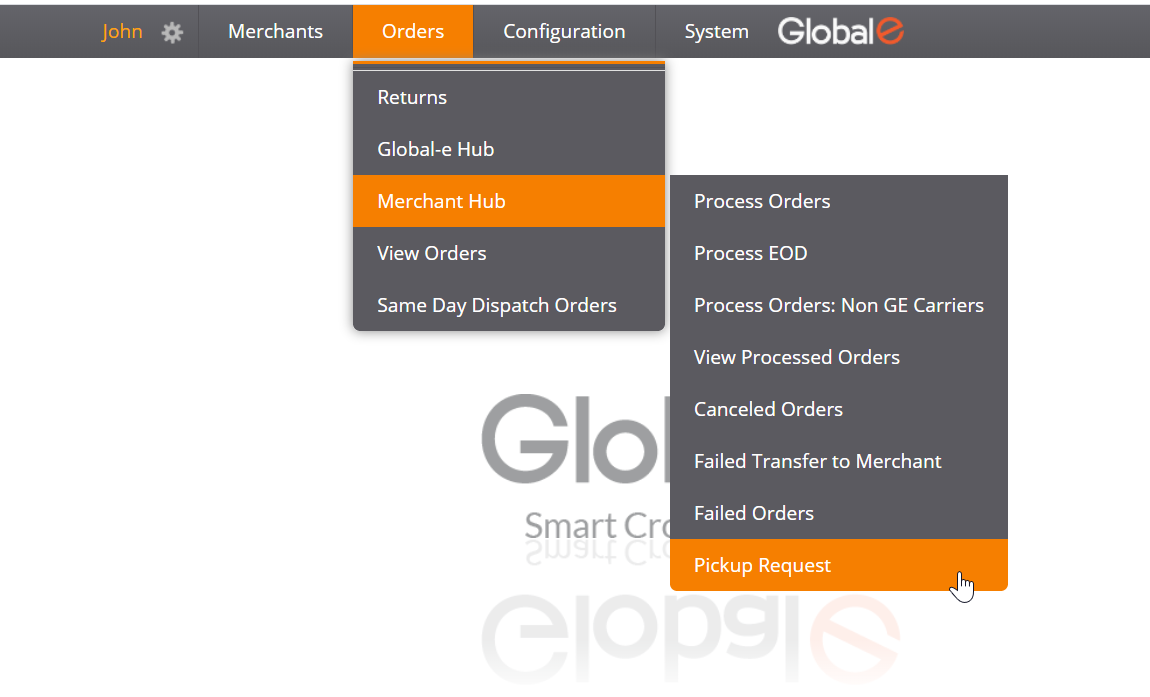
To request a DHL pickup service from your hub (when you don’t have a scheduled daily pickup), please do the following:
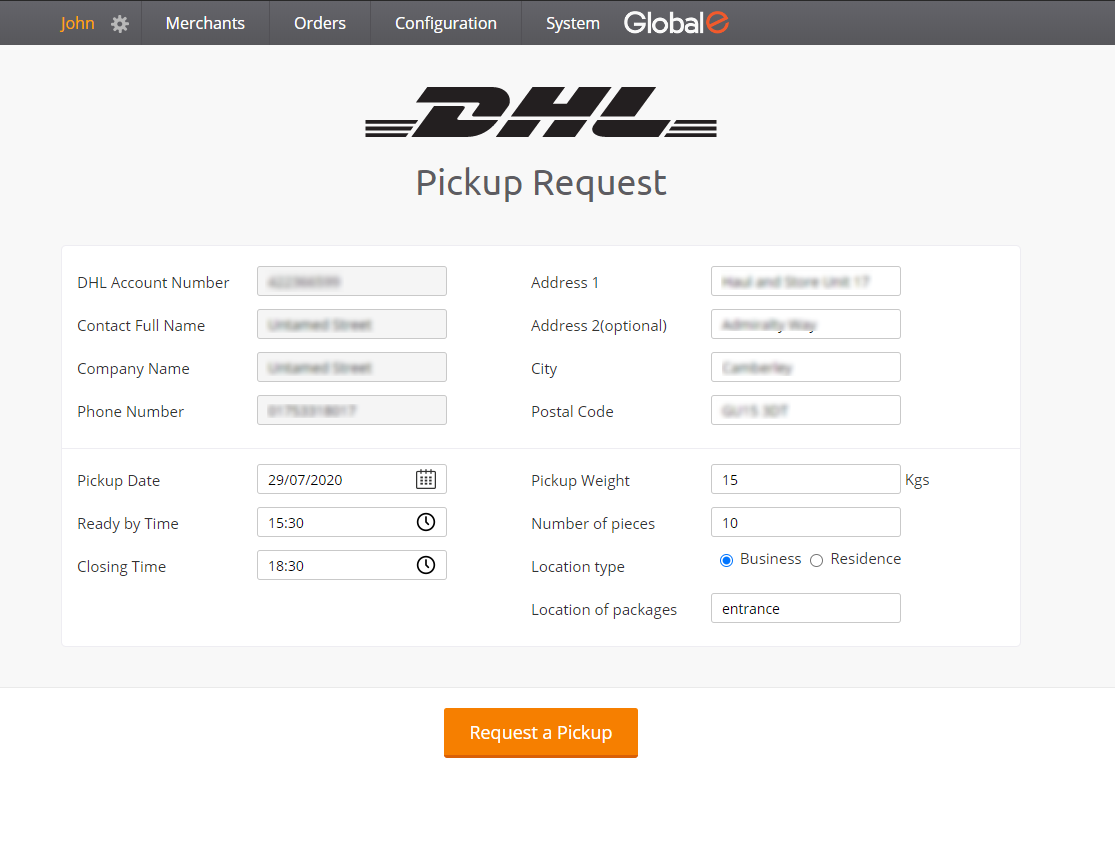
- Go to Orders -> Merchant Hub -> Pickup Request in the Merchant Portal. This will open the pickup request form with your hub’s address pre-populated.
- If you want to request a pickup from a different address, you can edit the address field. On your next login, the address will revert to your default hub address.
- The Pickup Date will be set by default to today’s date. Change the date if needed (e.g. for a pickup service tomorrow).
- Ready by Time – set the time when your parcels will be ready for pickup. Note that the time is set to 24H according to the local time zone.
- Closing Time – set the time when your warehouse / store will be closed. This is the latest time for DHL to arrive for the pickup. The pickup should arrive in the time frame between the Ready by Time and the Closing Time.
- Pickup Weight – set the estimated total weight (in kg) of all of the parcels for this pickup.
- Number of Pieces – set the number of parcels that will be picked up.
- Location Type – specify whether your location is a business warehouse or a residential apartment.
- Location of Packages – describe, if needed, the location of the parcels within the warehouse.
- When done, click the Request a Pickup button to submit your request. Keep your confirmation number for future inquiries.